People and Pages
Hide suggested posts from people and Pages you don’t follow.

Facebook Newsfeed Filter lets you hide unwanted recommended posts, group suggestions and suggested Reels on supported Facebook News Feed pages. Switch filters independently and see how many items were hidden.
The official Chrome Web Store listing is not yet available. We will add the verified link when published.
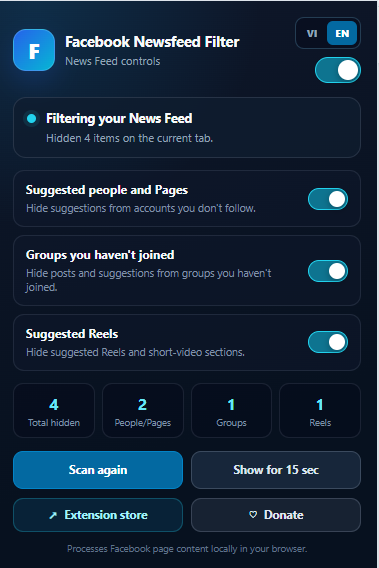
Hide suggested posts from people and Pages you don’t follow.
Reduce recommendations from groups you haven’t joined.
Hide suggested Reels in the News Feed.
Enable or disable each filtering category.
View per-tab hidden-item counts and run a new scan.
Show hidden items for 15 seconds.
Facebook pages on www.facebook.com, web.facebook.com and m.facebook.com; focused on the main News Feed.
The official Chrome Web Store listing is not yet available. We will add the verified link when published.
Read privacy policy ↗